University Project | Allied Solutions
Simplifying the process of filing GAP insurance for borrowers.
CONTRIBUTIONS
OVERVIEW
introduction
Allied Solutions helps financial institutions (lenders) offer GAP insurance to borrowers. Our team was tasked with designing the first borrower claim-filing experience on the myinsuranceinfo website.
What is GAP?
GAP (Guaranteed Asset Protection) insurance covers the remaining loan balance that normal car insurance doesn't pay off, if a car is totaled or stolen.

problem
Borrowers can't directly submit or manage GAP claims themselves, causing unnecessary work for lenders and Allied Solutions.
Lenders must call or be called multiple times to get the documents needed, often due to borrowers left in the dark about what they are required to do or the progress of their claims. The process is currently too over-reliant on lender communication.
Borrowers have no direct way to submit GAP claims
No transparency on the status of claims
Lenders and borrowers go back and forth to get documents
preview
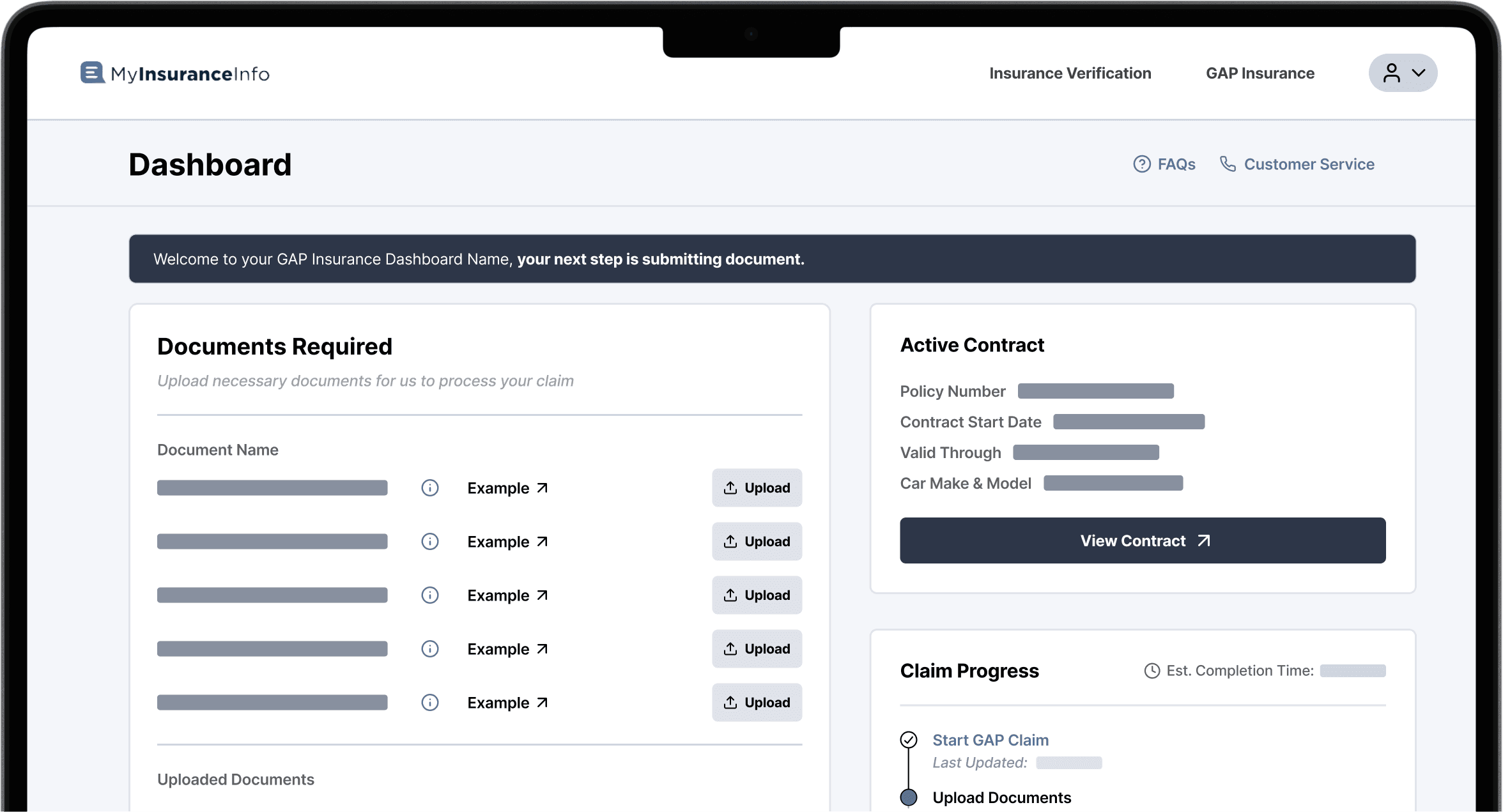
A dashboard for users to start claims, guide them on the documents needed, and track the progress of their claim.
PROCESS
research
Why do borrowers struggle with filing GAP claims through lenders?
While lenders are doing much of the work, we also wanted to see what borrowers have to deal with in the current filing experience. Our team researched public forums, looked at competitor websites, and interviewed subject matter experts to identify pain points.
user journey
Mapping the journey identified areas our design could simplify
We found that borrowers face many challenges not from their own errors, rather an unclear process. To understand why, our team mapped the steps each stakeholder takes for a claim.
exploration
Early dashboard designs created ideas and solutions
We decided a dashboard was the best solution as users can manage and track progress in one place while filing without lenders. These designs solved pain points and was the foundation for our final design.
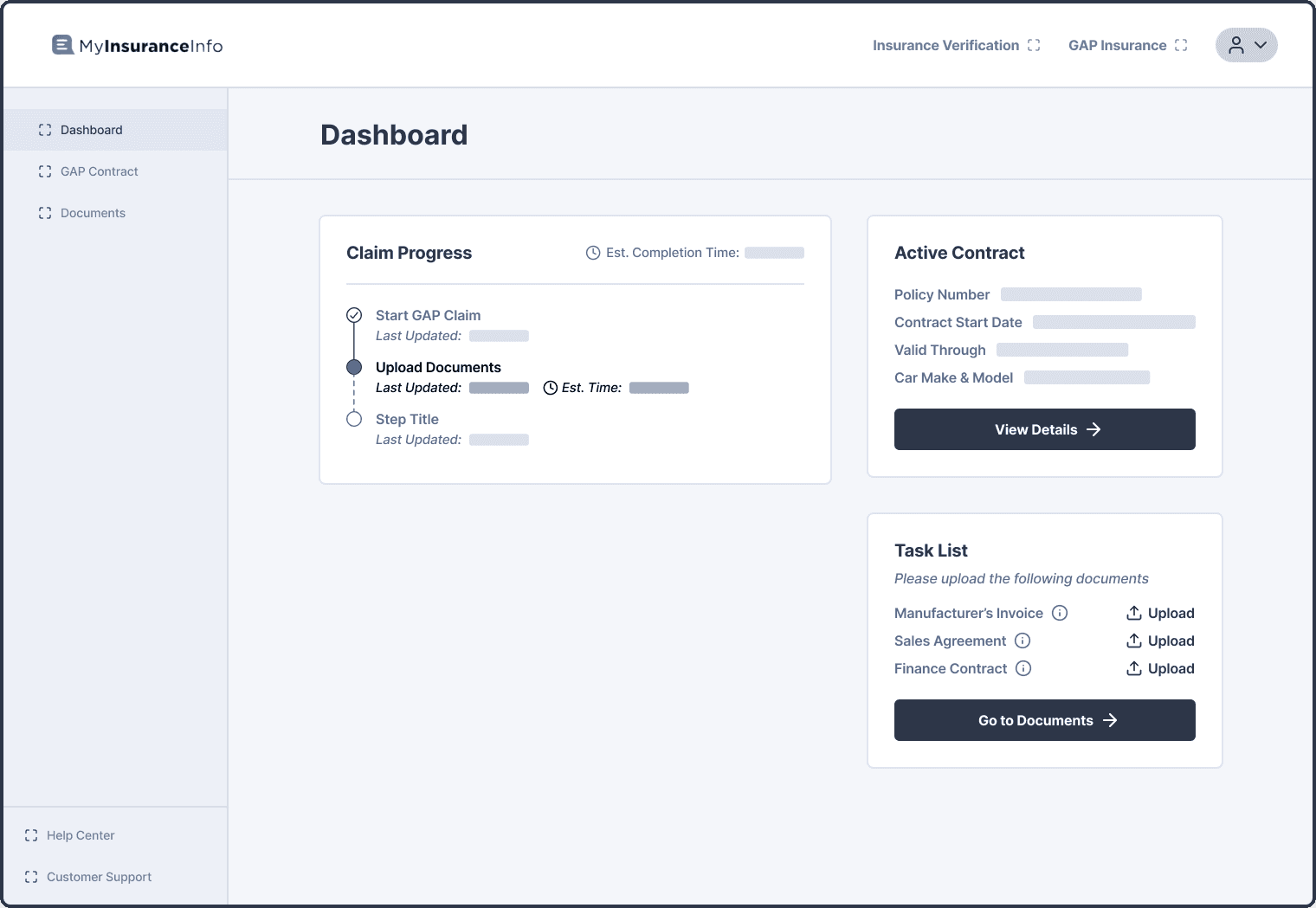
Giving borrowers a progress overview
Prioritized claim progress since users are concerned about status
Task list helps users see what documents they need to upload
Show contract information to give users transparency on the details
ADDRESSES
No visibility, Unsure where to file, Lack of document knowledge
Overview page that has a progress widget and preview of contract and documents pages
Providing a space to upload documents
Self-service so users don’t need to call lenders to submit documents
Examples since users often don’t know what the document is
Gives status of uploaded documents to notify of progress
ADDRESSES
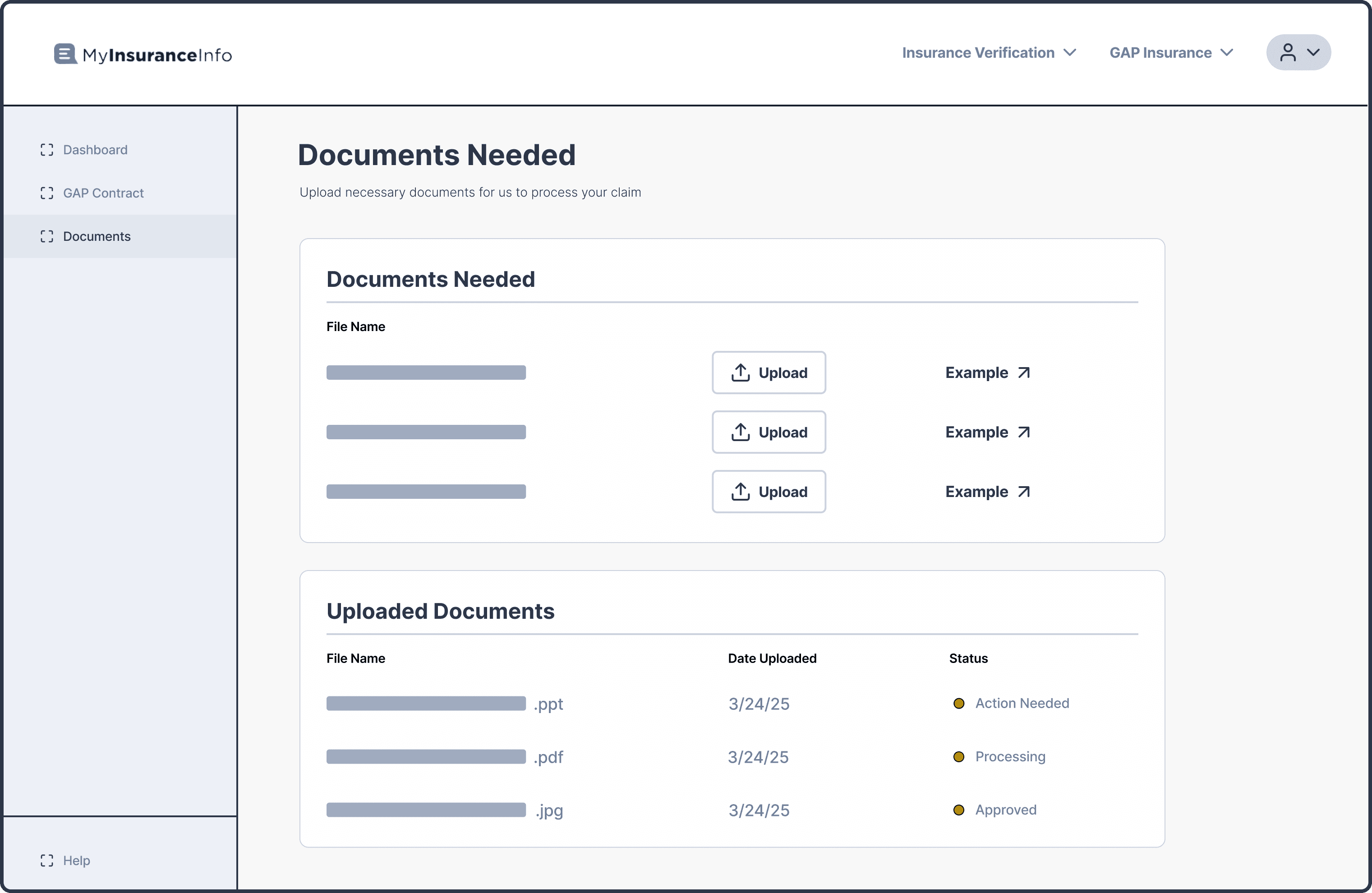
Documents page that allows users to view what they need to submit and the progress of their submitted ones.
Trying a simpler approach with only one screen
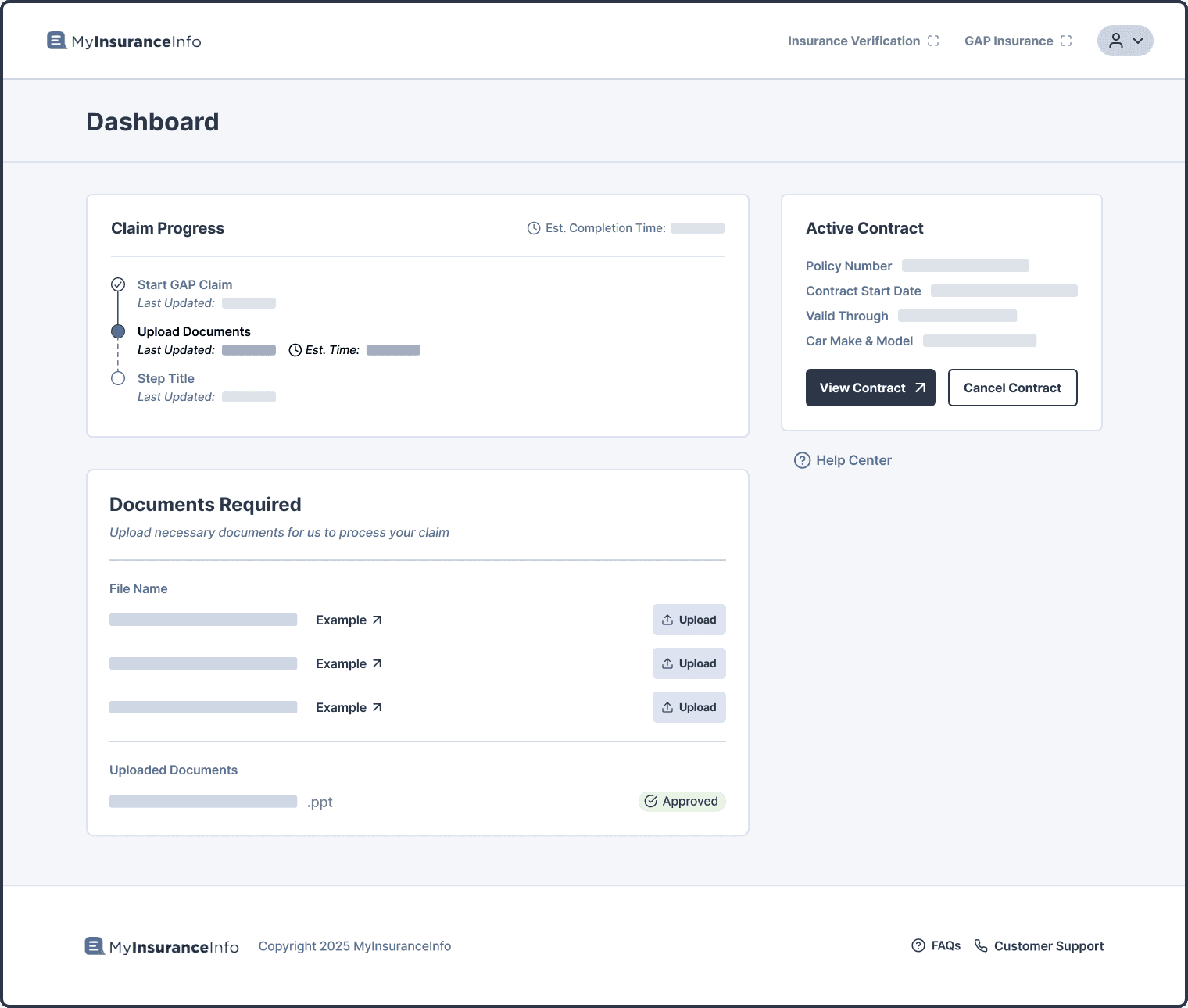
Putting everything all in one place
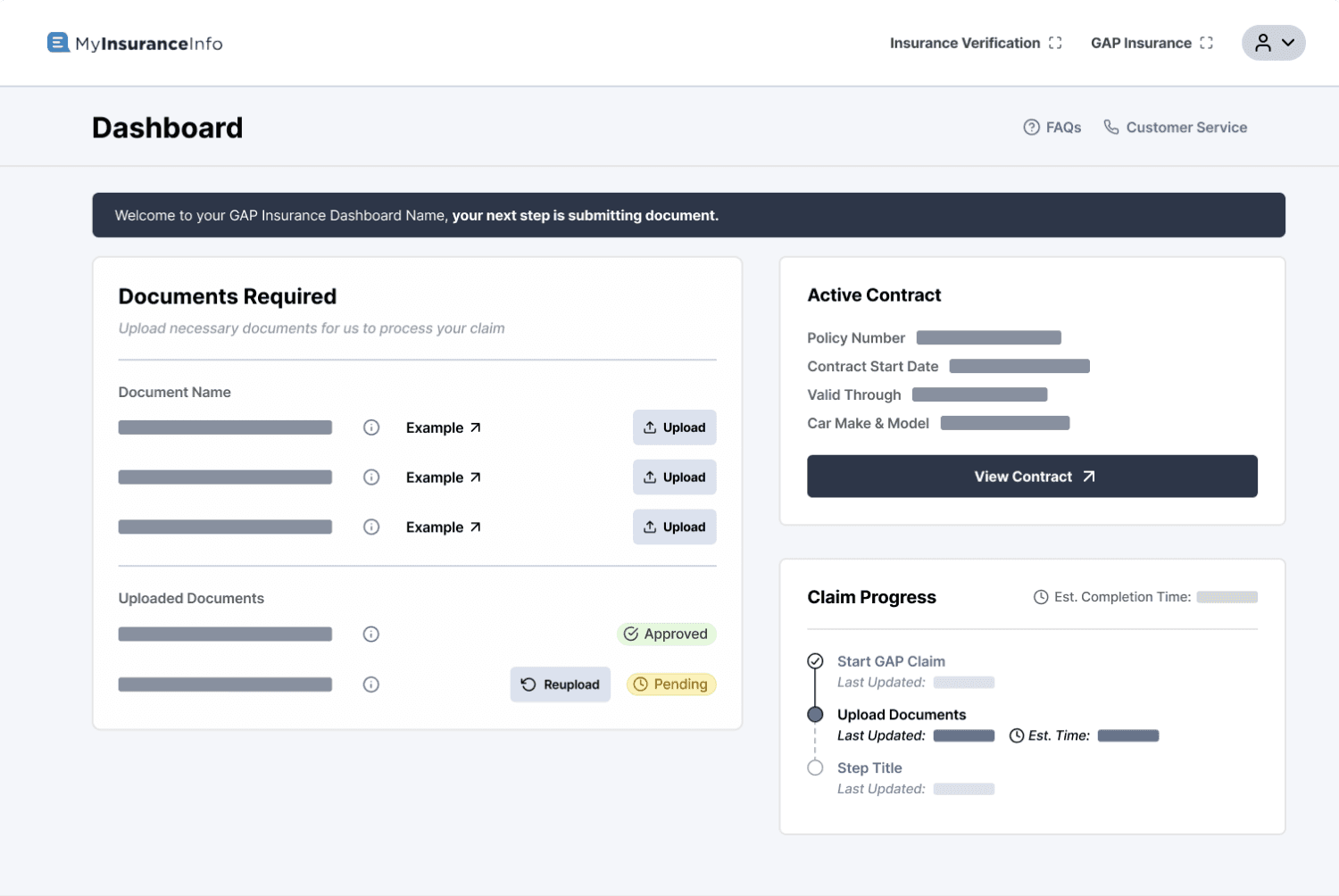
When working on the dashboard, I realized claim filing was simpler than we realized; submit documents and get approved. That’s it. Our early designs were based on the idea that claim filing is a complex task so to help users see its simplicity, I combined all the pages into small sections on one page which helps users:
See everything directly and clearly so it's less confusing
Upload documents without clicking to other pages
View condensed contract page into one small widget to reduce redundancy
Validating the decision
Our team was concerned making the dashboard into one page would confuse user mental models, but I hypothesized that the one-page layout was simple, so users would have no problems. To confirm, we tested with users to get their thoughts.
4/6
Users
liked the single-paged dashboard and had minimal issues
Iterations
Addressing user testing feedback to further clarify the process
Our user tests found issues and helped our team think of new problems emerging from a one-page design. I was in charge of creating solutions for these problems through our iterations.
Prioritization of documents
Users weren’t sure why claim progress was so big, helping us realize that a user’s main goal is to submit the documents and cover their loan, not see progress. As a result, we moved the documents to the top right to emphasize its importance.
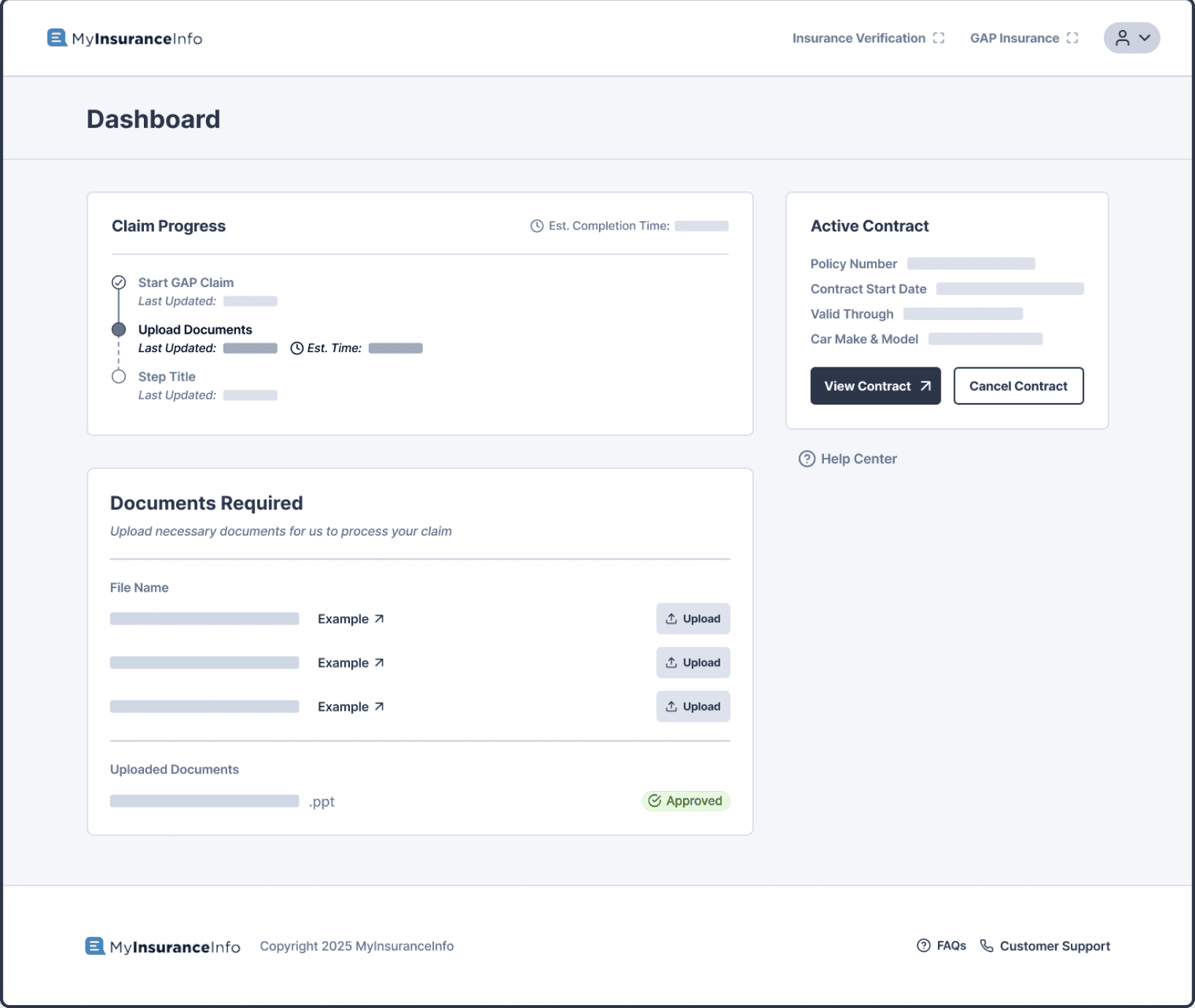
OLD
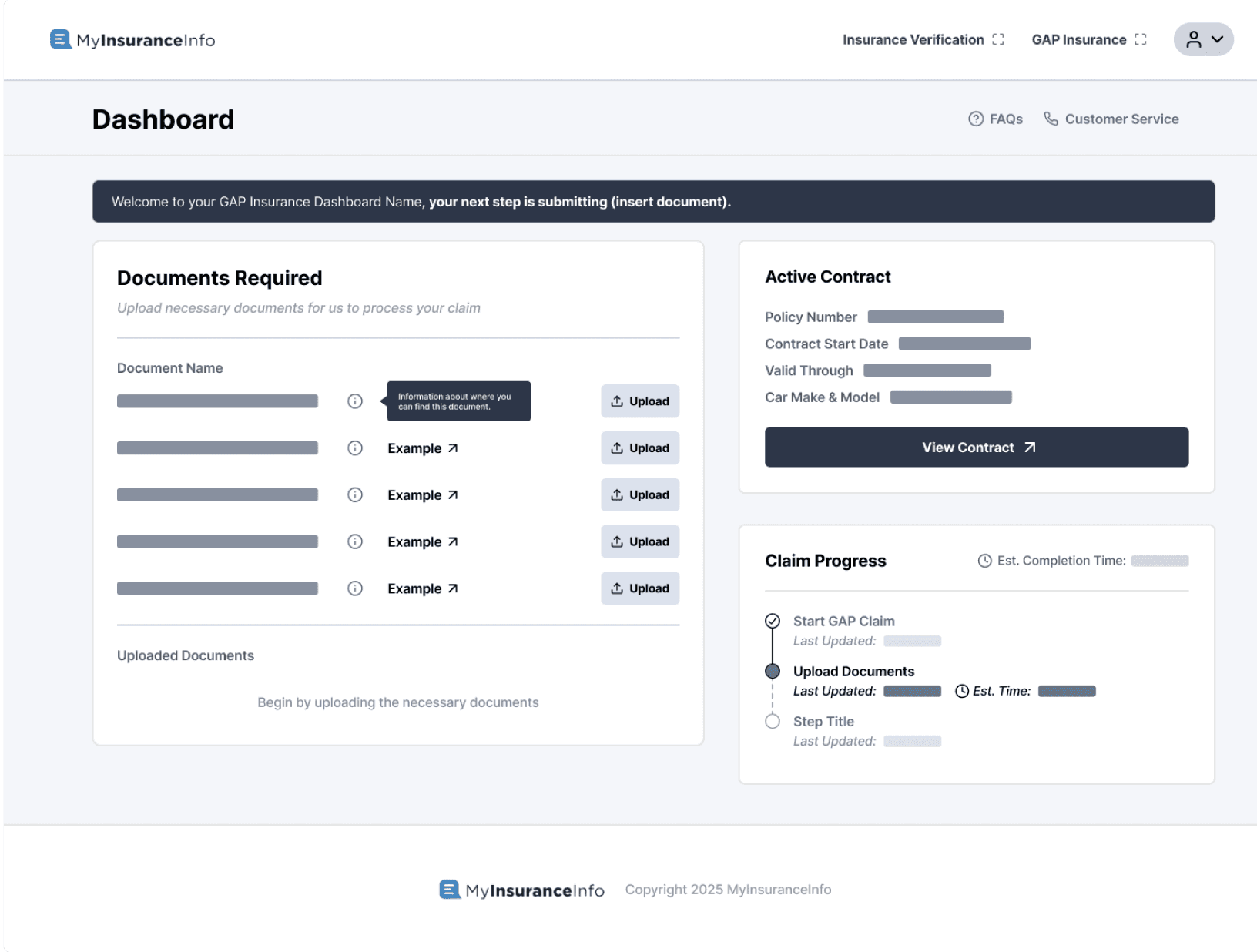
NEW
Users had trouble with navigating when the dashboard was longer than the screen so we condensed it so everything fit without scrolling, taking advantage of the prior change to fix this issues. This change brought more clarity and simplicity.


RESULT
Final Design
A simpler GAP filing experience for borrowers
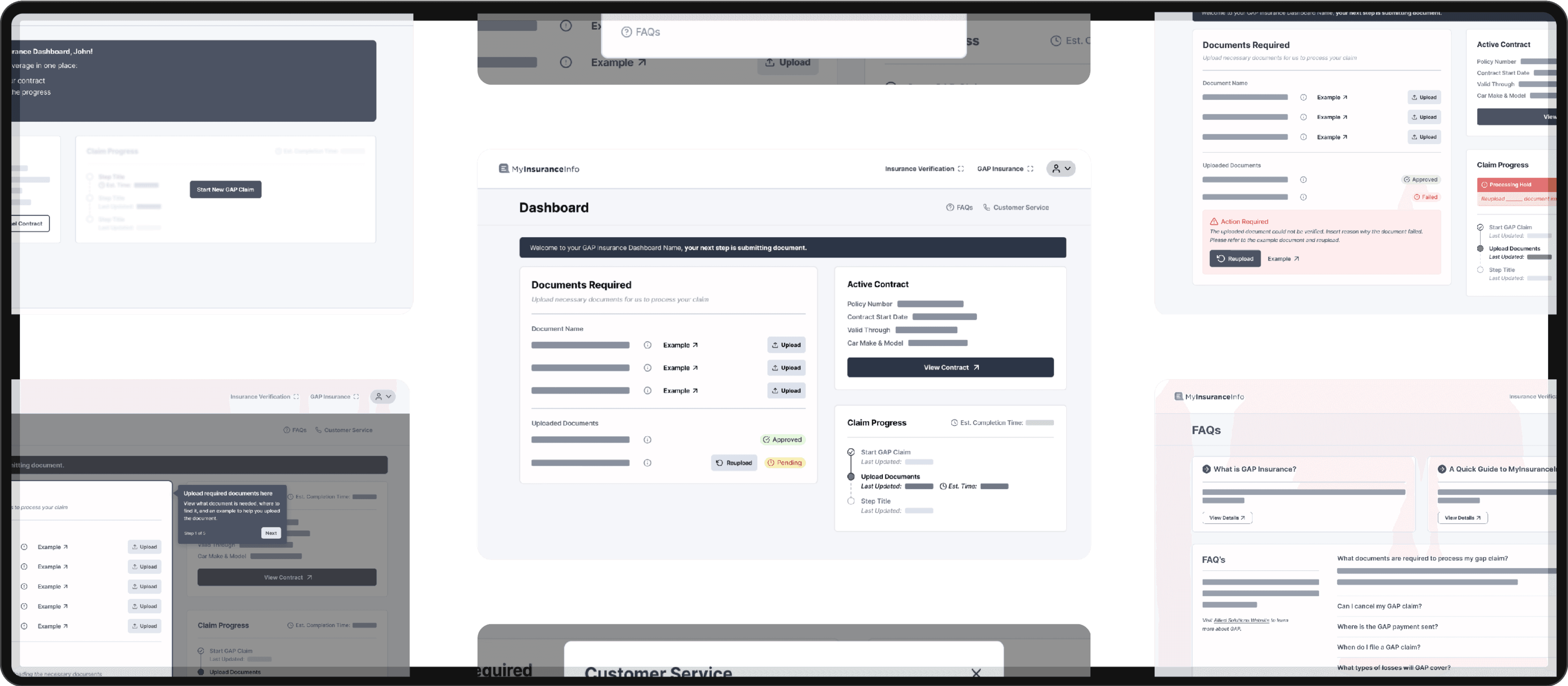
After testing with users and iterating on our designs, we created our final version of the borrower-facing GAP claim dashboard.
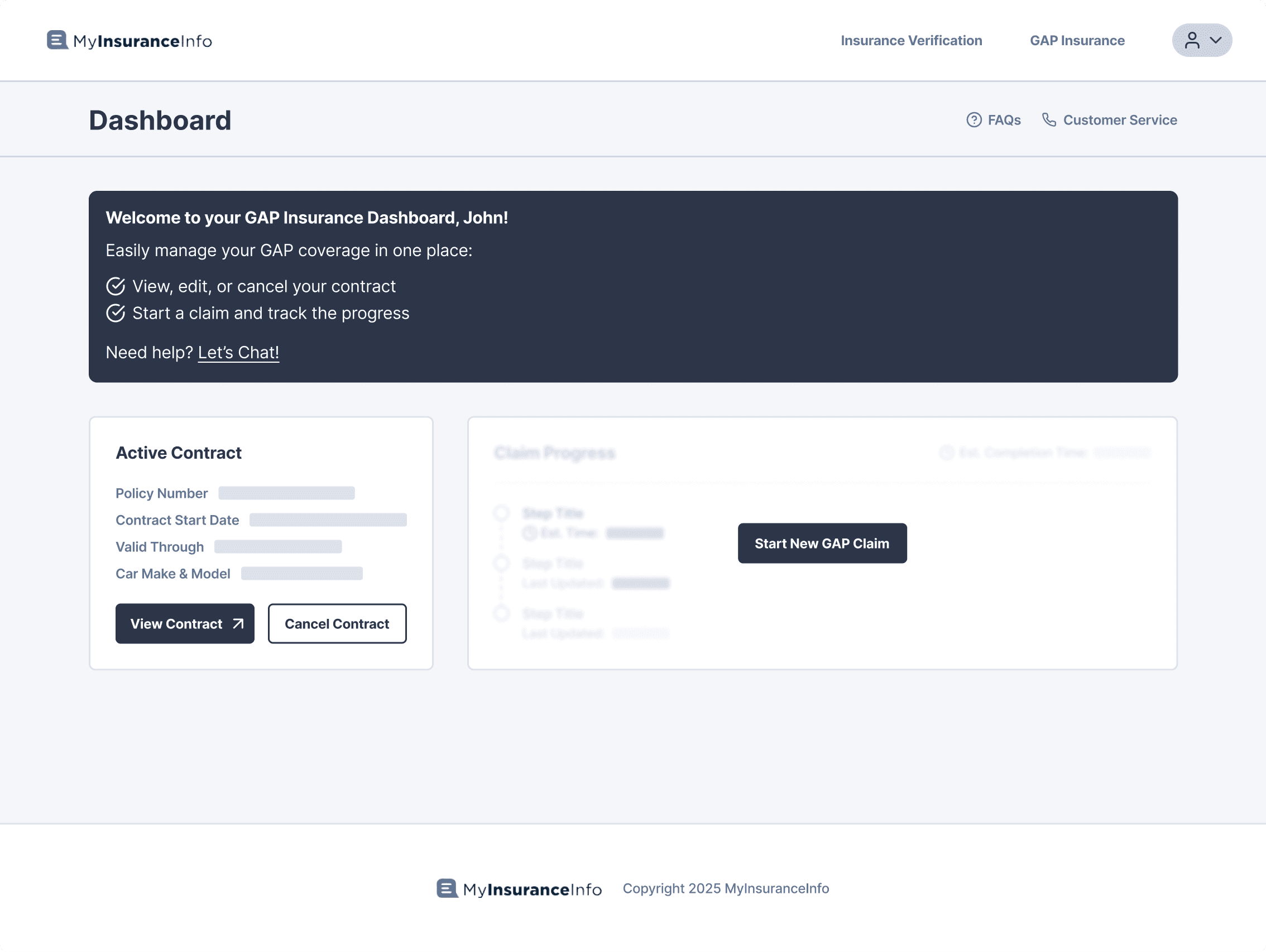
Pre-Claim Dashboard
A screen where users can know what website they would go to when needing to file a claim.

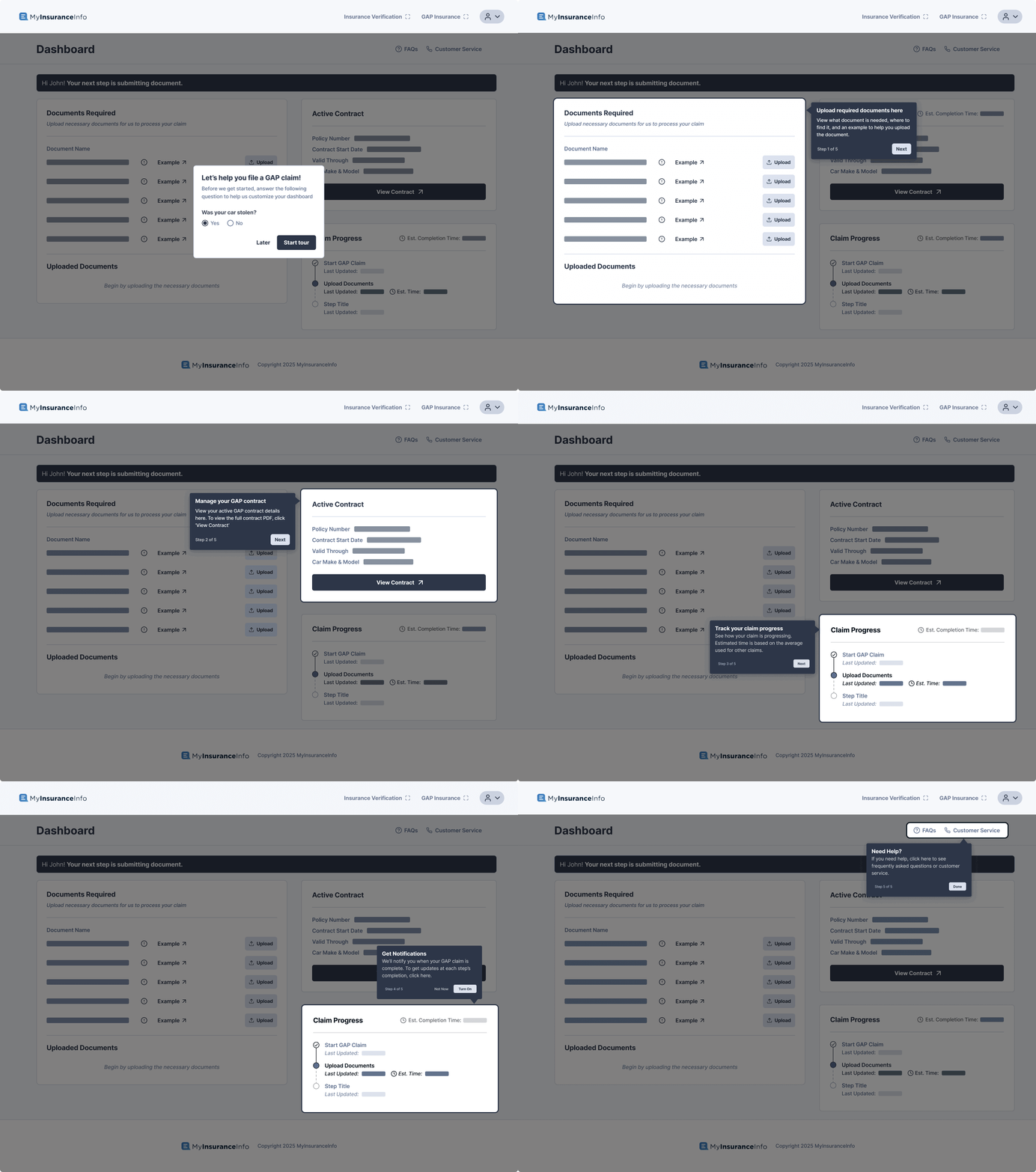
Onboarding
A guided onboarding to decrease difficulty and confusion, helping users feel confident about knowing how to file a claim smoothly.
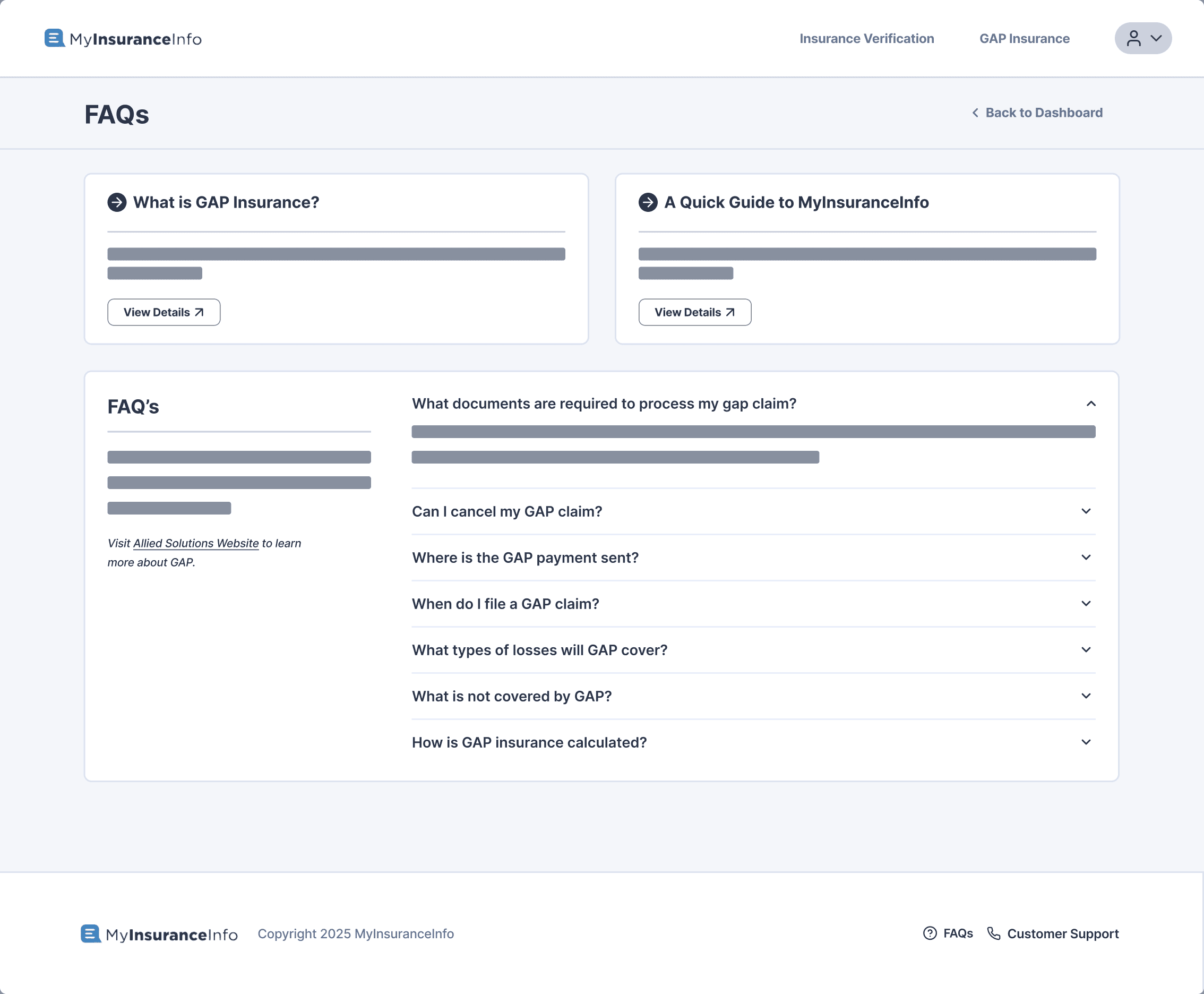
FAQs
Educate users on what GAP is and provide clarity on how to file, as well as reassuring users of questions they may have.
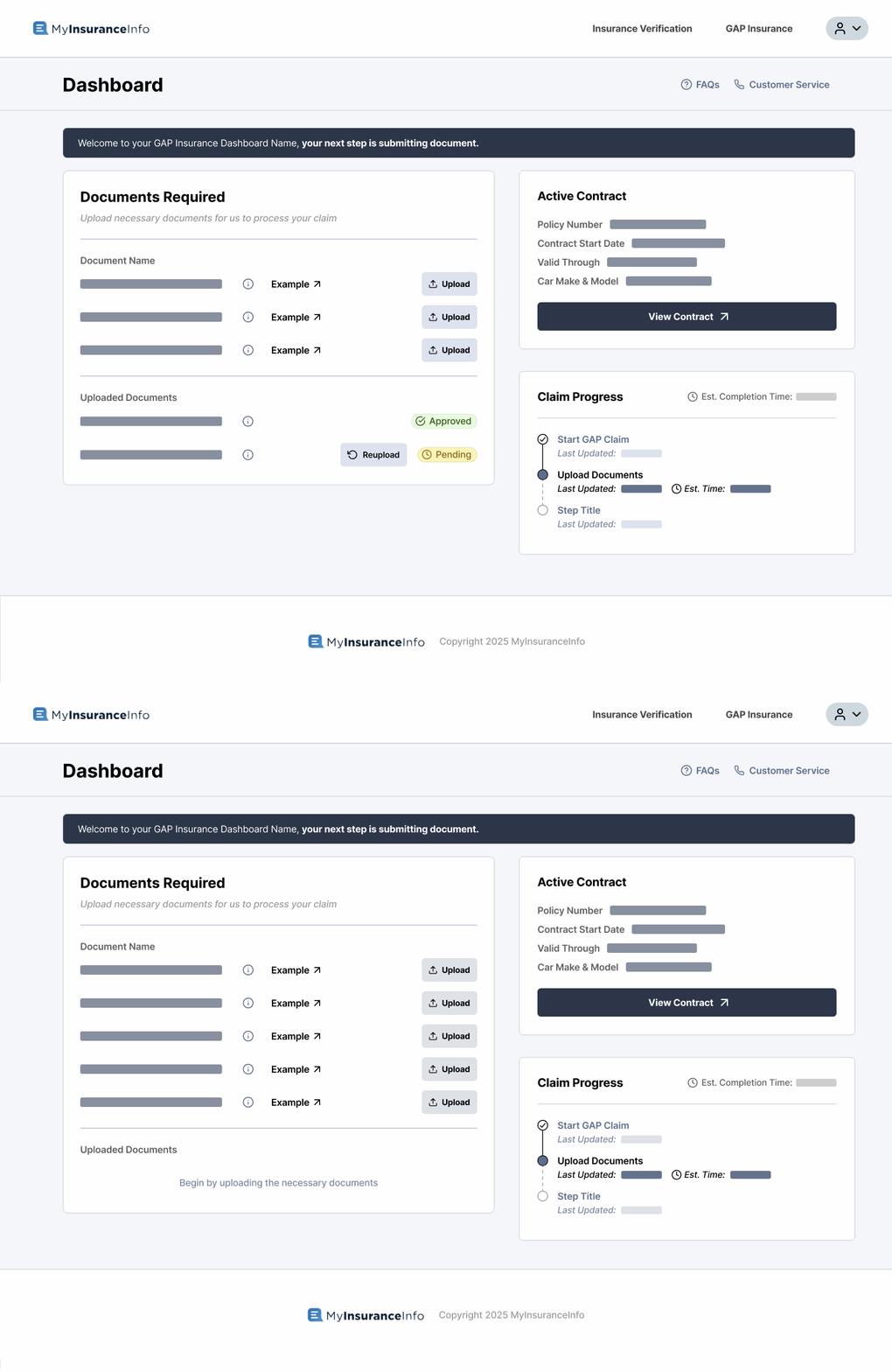
Main Dashboard
Way for users to directly file claims and submit documents without the pressure of phone calls, along with tracking features to set aside worries of whether their claim is being processed.
impact
The New Journey
With our dashboard, borrowers have a simpler process to successfully receive GAP insurance. Their steps are more direct and require less work to move on.
" height="32px" id="lbck1Em7i" transform="translate(3 4)" width="35px"/><path d="M 0 1 C 0 0.448 0.448 0 1 0 L 8 0 C 8.552 0 9 0.448 9 1 L 9 12 C 9 12.552 8.552 13 8 13 L 1 13 C 0.448 13 0 12.552 0 12 Z" fill="rgb(204, 204, 204)" height="13px" id="FS5WBaTDc" transform="translate(10 17)" width="9px"/><path d="M 0 1 C 0 0.448 0.448 0 1 0 L 8 0 C 8.552 0 9 0.448 9 1 L 9 5 C 9 5.552 8.552 6 8 6 L 1 6 C 0.448 6 0 5.552 0 5 Z" fill="rgb(204, 204, 204)" height="6px" id="iHWWg3RUa" transform="translate(22 24)" width="9px"/><path d="M 0 1 C 0 0.448 0.448 0 1 0 L 8 0 C 8.552 0 9 0.448 9 1 L 9 3 C 9 3.552 8.552 4 8 4 L 1 4 C 0.448 4 0 3.552 0 3 Z" fill="rgb(204, 204, 204)" height="4px" id="WIIIVOXr6" transform="translate(22 17)" width="9px"/></svg>)