University Project | Dolby
Hearing Calibration Check
Creating a novel hearing check experience
Timeline
August - December 2025
Role
UX Designer
CONTRIBUTIONS
I researched 10 competitor apps and understood user flow and opportunities
I interviewed a subject-matter-expert to learn about the current processes
I designed and prototyped 19 screens and 14 micro-interactions at high fidelity
OVERVIEW
introduction
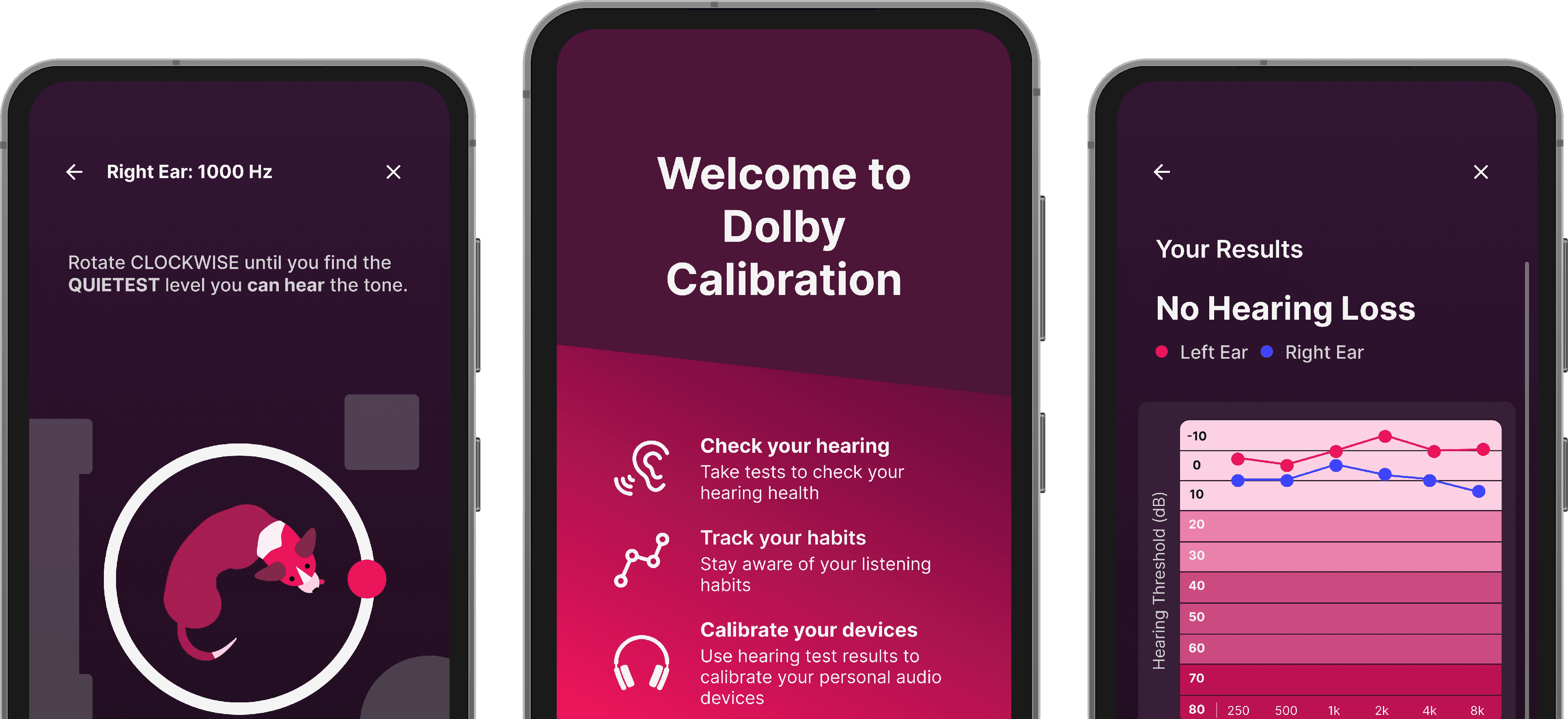
Dolby is a leader in audio-visual technologies. Our team was tasked with designing a mobile hearing test experience used to calibrate headphones.

problem
Traditional hearing tests have poor user engagement and long procedures, leading to high abandonment rates
Our goal was to reimagine the hearing test experience in a way that is engaging and accessible to users, assisting in audio calibration while promoting better hearing health. We aimed to design our solution to hit these main points:
" height="38px" id="aY8Pm9VFN" transform="translate(1 1)" width="38px"/><path d="M 0 2 C 0 0.895 0.895 0 2 0 L 2 0 C 3.105 0 4 0.895 4 2 L 4 12.5 C 4 13.605 3.105 14.5 2 14.5 L 2 14.5 C 0.895 14.5 0 13.605 0 12.5 Z" fill="rgb(204, 204, 204)" height="14.5px" id="Az_92cIH6" transform="translate(17 8)" width="4px"/><path d="M 0 2 C 0 0.895 0.895 0 2 0 L 2 0 C 3.105 0 4 0.895 4 2 L 4 12 C 4 13.105 3.105 14 2 14 L 2 14 C 0.895 14 0 13.105 0 12 Z" fill="rgb(204, 204, 204)" height="14px" id="ga8yB0WAm" transform="translate(22.5 13.5) rotate(90 2 7)" width="4px"/></svg>)
Takes 5 min. or less to complete
" transform="translate(10.491 2.534)" width="22px"/><path d="M 8.123 4.345 C 8.123 4.345 8.287 0 4.518 0 C 0.75 0 0.033 3.371 0.033 3.371 L 0 7.233 C 0 7.233 3.488 7.278 3.488 10.612 C 3.488 13.947 0 13.992 0 13.992" fill="transparent" height="13.991713019893615px" id="MFAeNE5nj" stroke-dasharray="0" stroke-linecap="round" stroke-linejoin="round" stroke-width="4" stroke="rgb(204, 204, 204)" transform="translate(16.877 10.016)" width="8.12355569627723px"/></svg>)
Inclusive to users with all levels of hearing loss
" height="38px" id="rwlooI5wH" transform="translate(1 1)" width="38px"/><path d="M 2 0 C 3.105 0 4 0.895 4 2 C 4 3.105 3.105 4 2 4 C 0.895 4 0 3.105 0 2 C 0 0.895 0.895 0 2 0 Z" fill="rgb(204, 204, 204)" height="4px" id="DWO958w3A" transform="translate(12 13)" width="4px"/><path d="M 2 0 C 3.105 0 4 0.895 4 2 C 4 3.105 3.105 4 2 4 C 0.895 4 0 3.105 0 2 C 0 0.895 0.895 0 2 0 Z" fill="rgb(204, 204, 204)" height="4px" id="cFyZBlHKH" transform="translate(24 13)" width="4px"/><path d="M 0 0 C 0 3.5 4 6.898 8 6.898 C 12 6.898 16 3.5 16 0" fill="transparent" height="6.897726058959961px" id="Z40XWpkJF" stroke-dasharray="0" stroke-linecap="round" stroke-linejoin="miter" stroke-miterlimit="4" stroke-width="3" stroke="rgb(203, 203, 203)" transform="translate(12 23)" width="16px"/></svg>)
Enjoyable so users complete the test
preview
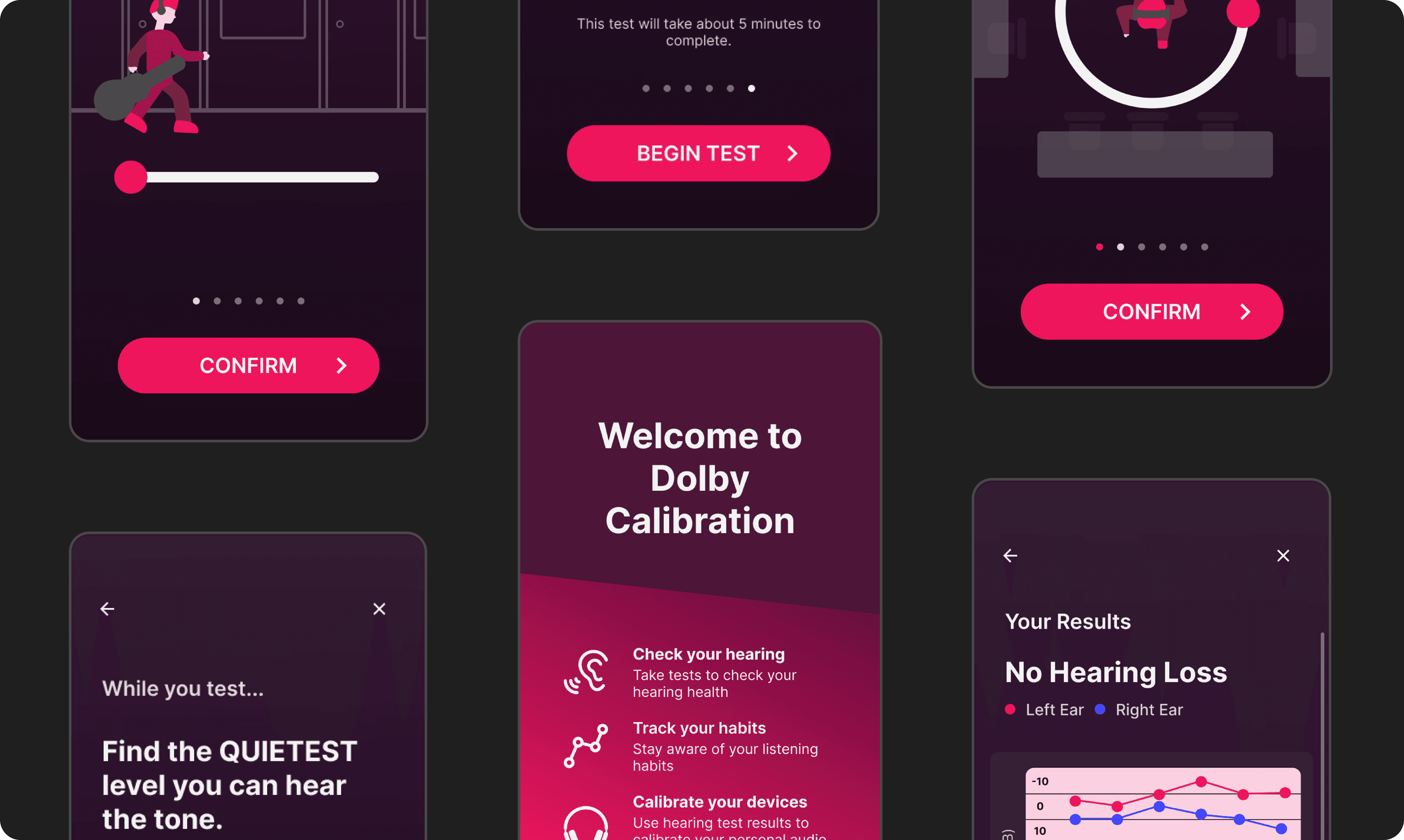
A quick mobile hearing test using engaging visuals and animations to help users complete the test
PROCESS
comparative analysis
What are other mobile hearing tests doing?
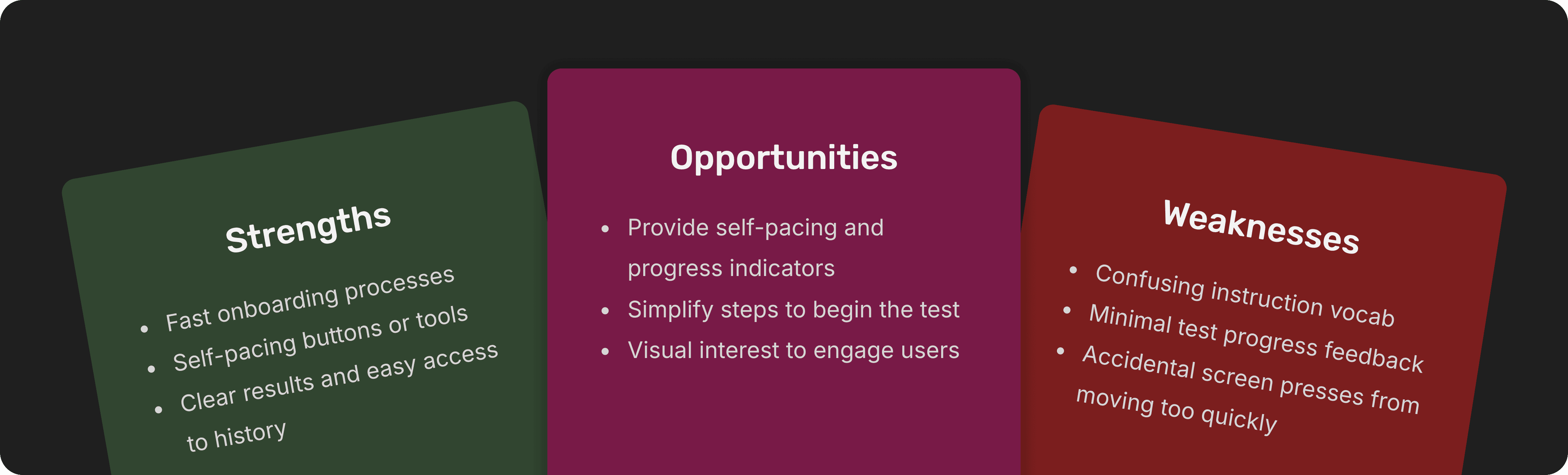
We researched 10 mobile/desktop hearing apps to find what they did well, what could be improved, and opportunities for our designs.
user interviews
What are the current perceptions of hearing tests and health apps?
Through interviewing 16 people ranging from 17-91 years old with varying levels of hearing loss what people think about hearing tests and looked for needs to address.
Users lacked interest in taking hearing tests
Most users said they would only take a test when they sensed something was wrong or if a doctor recommended it
Users doubt the accuracy of health related apps
Tracking health with a mobile device was not trusted unless they had mdecial certifications or reputable sources
Users wanted quick and simple hearing tests
Users wanted tests to be short as they didn't care too much about their hearing health and just wanted to get through them
Refocusing the scope from health to calibration
Rather than making a health based app liked planned, we shifted to calibration, meaning we wouldn't need the most accurate test, rather, just one user want to take. By doing so, our team could experiment with exploratory ideas instead of being limited to the current standard.
user flow
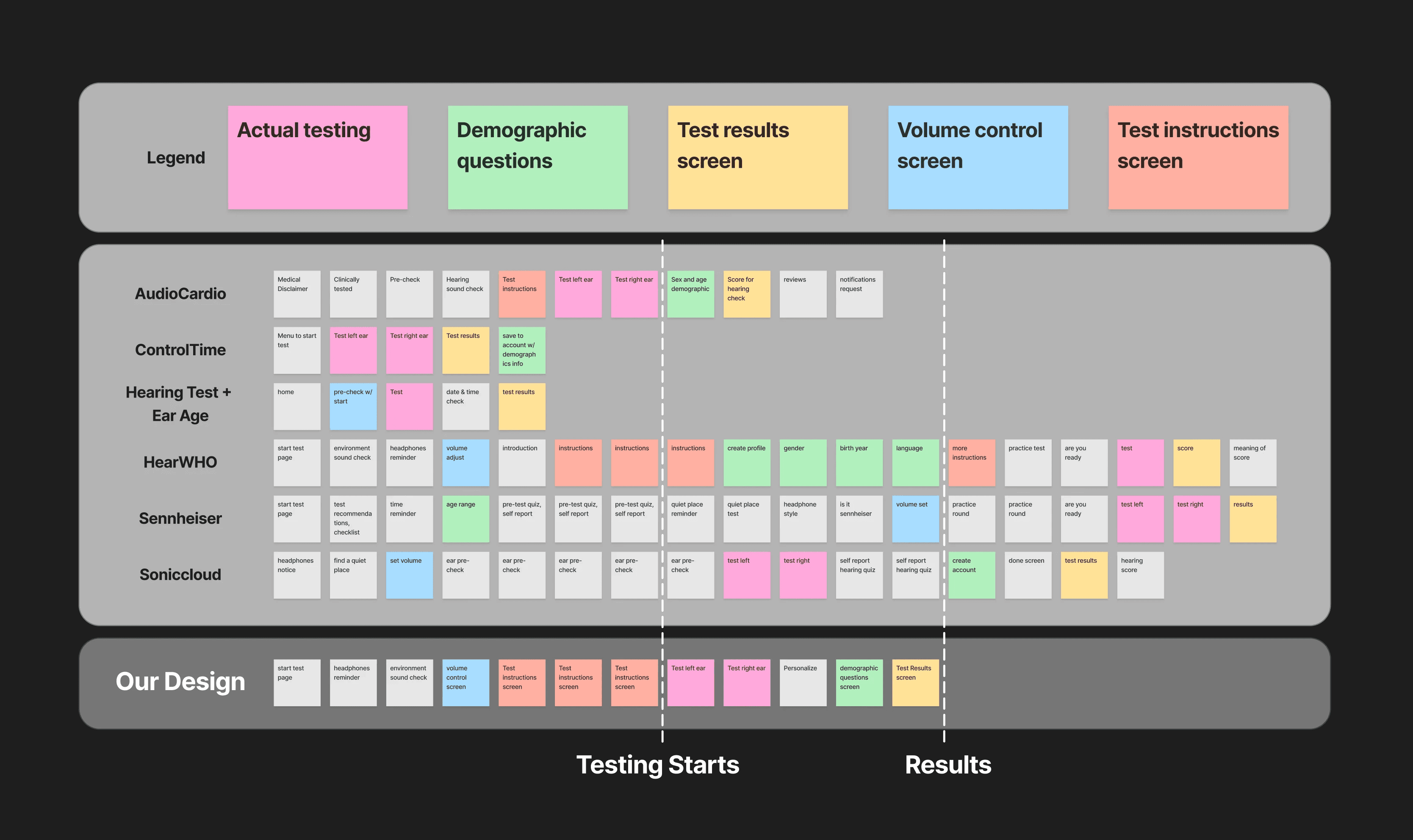
Comparing user flows to find a balance of engagement and time
Using our prior research, we mapped out the flow of other mobile tests and used it to determine our app's user flow. The goal for our design was to:
Get to the test quickly with enough instructions for a smooth experience
Avoid long sign-up processes that deter users from starting the test
Not have the test go so fast that users don't understand but not so long they get bored
wireframes
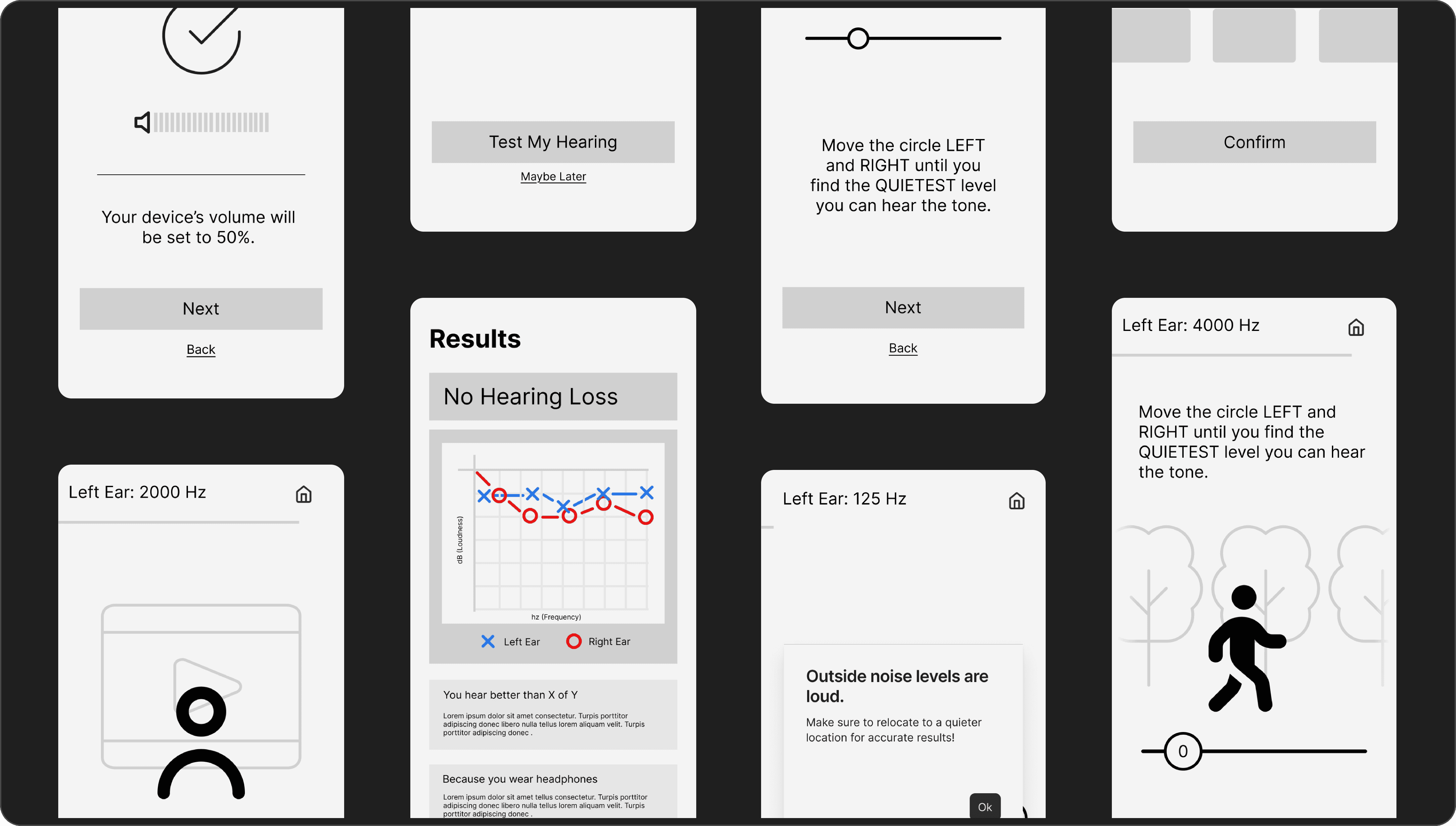
Early wireframes helped us visualize our proposed ideas
Our design focused on creating a visual story in each testing screen to increase engagement and using a slider based-interaction for control and accuracy.
user testing
Testing with users solidified our decision of interactions and visuals
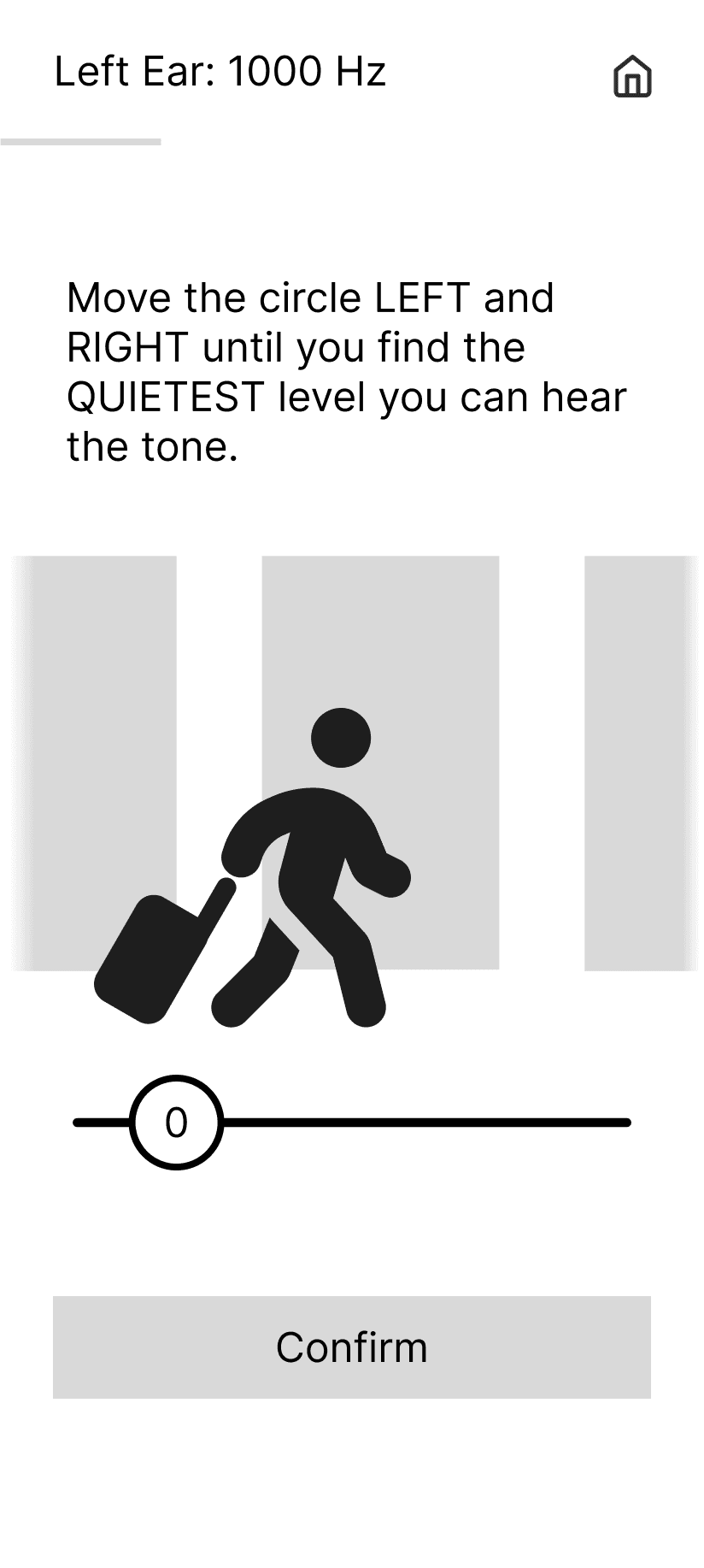
Our team wanted to confirm our hypotheses of using story visuals and a slider for increasing engagement so we tested the story and an abstract visual along with 3 common interaction types. Here's what users said:
Story
"more enjoyable"
"relatable"
"interesting"
"made me want to do the it"
Abstract
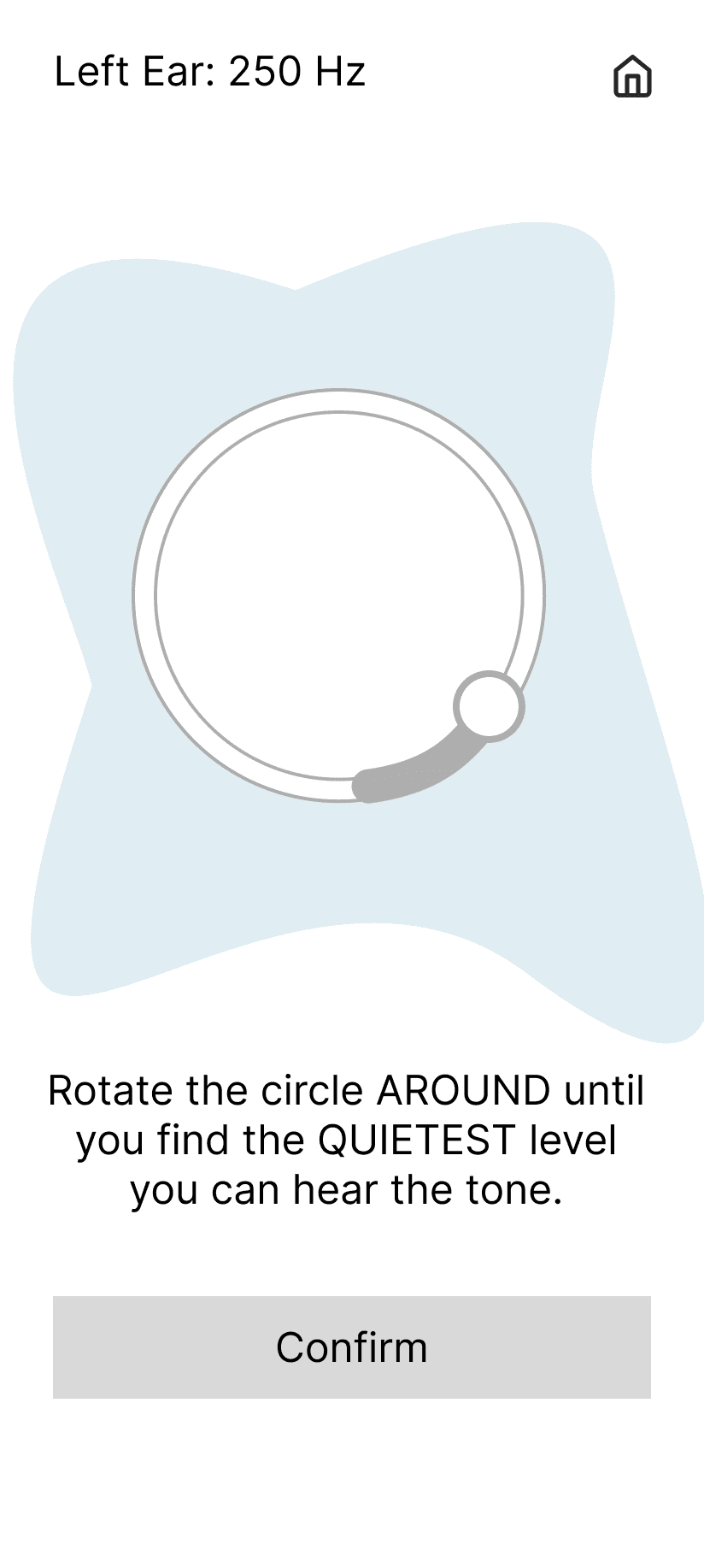
"added confusion"
"distracting"
"be bored"
"might lose interest"
5/7
Users
preferred the story visuals
Story visuals gave users a scenario to do the test for, helping give a goal for users and keeping them engaged
Slider lets users control volume themselves but can take a long time from trying to be perfect
PRESS + HOLD
Tracks when a user can't hear but can lead to uncertainty from the user
TAP
Simple and quick however reaction times cause possible inaccurate results
The slider kept users engaged by giving full control rather than waiting for a sound, removing reaction time reliance unlike other interactions
3/6
Users
preferred the slider interaction
RESULT
final design
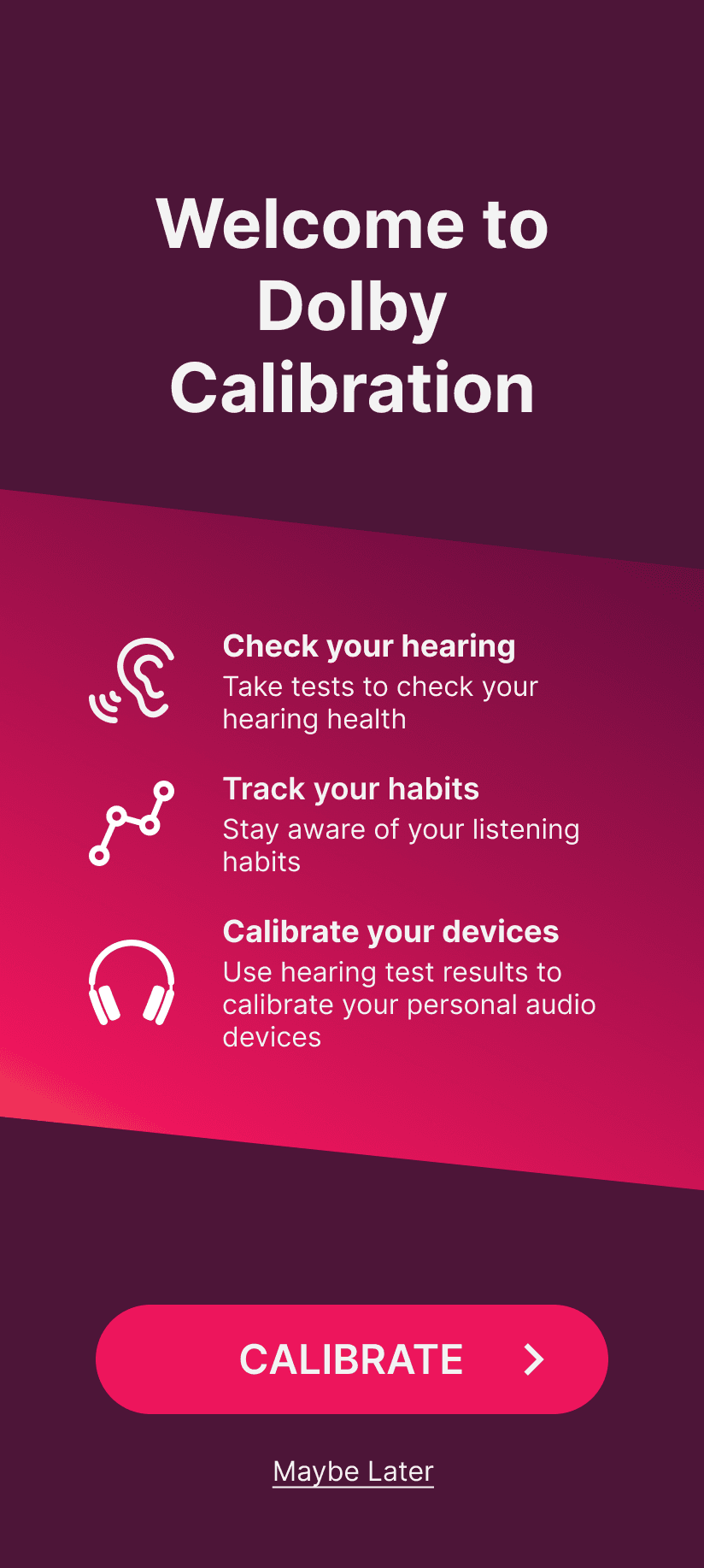
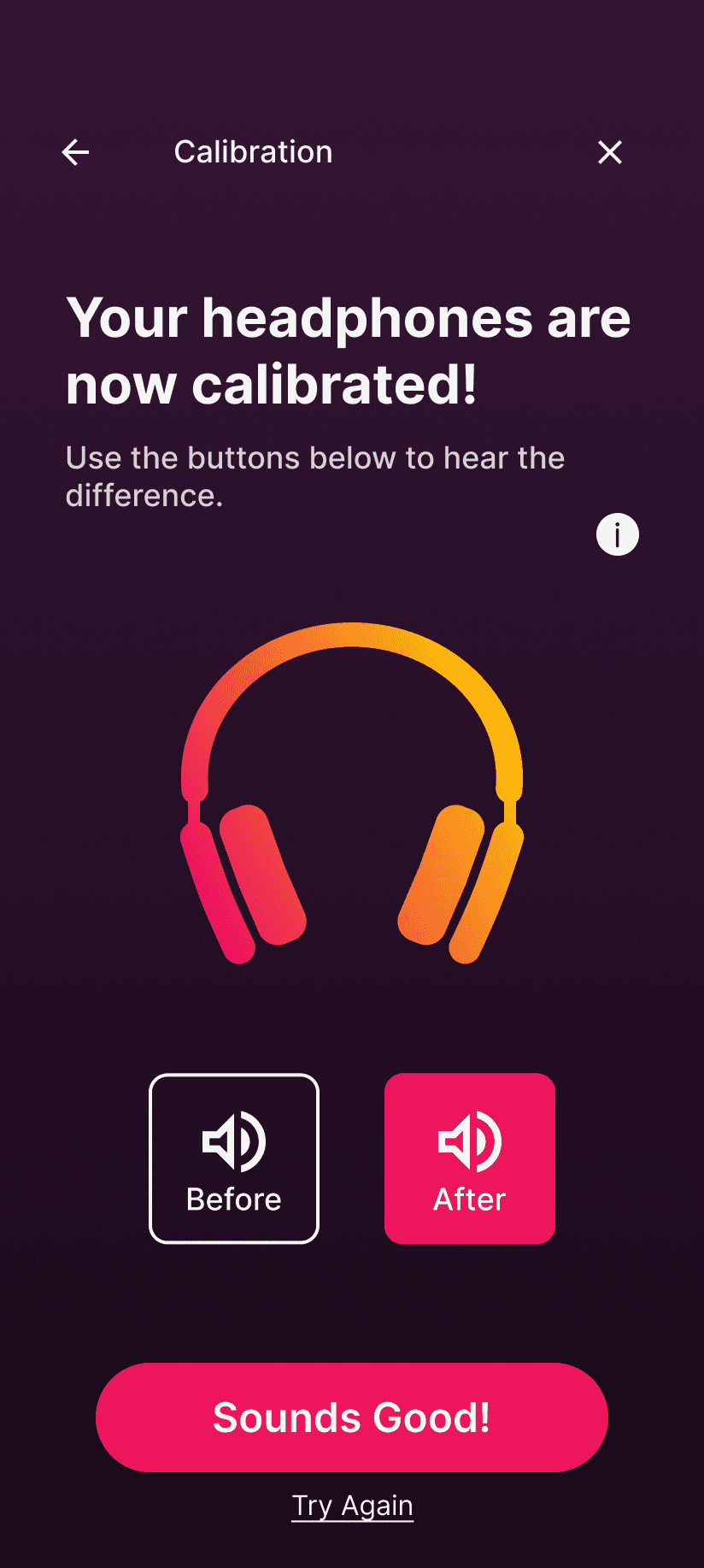
A quick and engaging hearing check
The final version of our hearing check gives users a clear flow and simple to use interactions, along with microinteractions to help them, for an engaging and quick experience.


" height="32px" id="lbck1Em7i" transform="translate(3 4)" width="35px"/><path d="M 0 1 C 0 0.448 0.448 0 1 0 L 8 0 C 8.552 0 9 0.448 9 1 L 9 12 C 9 12.552 8.552 13 8 13 L 1 13 C 0.448 13 0 12.552 0 12 Z" fill="rgb(204, 204, 204)" height="13px" id="FS5WBaTDc" transform="translate(10 17)" width="9px"/><path d="M 0 1 C 0 0.448 0.448 0 1 0 L 8 0 C 8.552 0 9 0.448 9 1 L 9 5 C 9 5.552 8.552 6 8 6 L 1 6 C 0.448 6 0 5.552 0 5 Z" fill="rgb(204, 204, 204)" height="6px" id="iHWWg3RUa" transform="translate(22 24)" width="9px"/><path d="M 0 1 C 0 0.448 0.448 0 1 0 L 8 0 C 8.552 0 9 0.448 9 1 L 9 3 C 9 3.552 8.552 4 8 4 L 1 4 C 0.448 4 0 3.552 0 3 Z" fill="rgb(204, 204, 204)" height="4px" id="WIIIVOXr6" transform="translate(22 17)" width="9px"/></svg>)